January 30th, 2026
Hey Wilson 👋
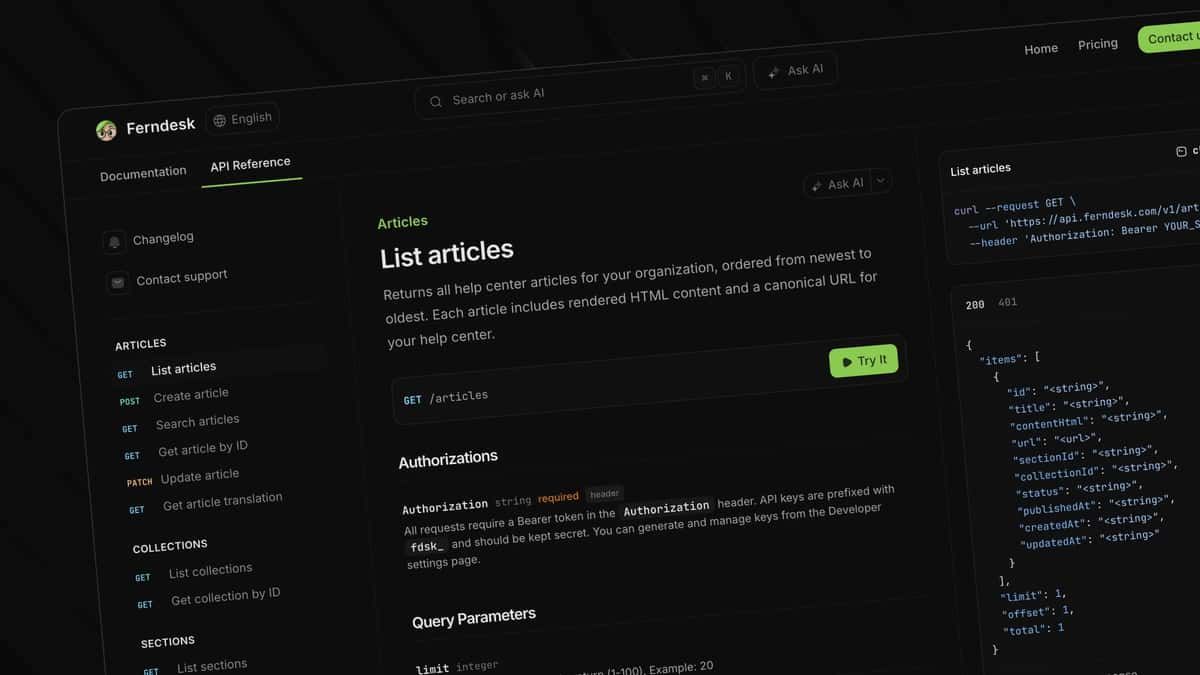
This week, we're making docs even less painful (you're welcome) with the Ferndesk Chrome extension! Here's what else is new at Ferndesk:
🌐 Ferndesk for Chrome - Chat with your docs, update them from anywhere, draft responses to customers.
👨🏾💻 Employee #2 - Welcoming Victor to the Ferndesk team.
🚧 Ferndesk status page - One place to check if Ferndesk is up.
And of course, many, many smaller improvements and bug fixes…
I used to hate updating documentation.
Not because it's hard. Because it's annoying.
You're answering a ticket, you realize the docs are wrong, and now you have to open a new tab, find the article, make the edit, and by then you've lost your flow completely.
So today we're launching a Chrome extension that puts all your docs in a sidebar. Chat with them, search them, update them, without ever leaving the page you're on.
This feature is available on all plans. So try it out, and let us know what you think!
Over the last half-year, I've run Ferndesk as a one-man show. Every line of code, every sentence in marketing and every design decision was made by me.
But you can only go so far as a team of one. It's time to change that!
Victor is fresh out of college and already scary-talented. No pedigree. No long résumé. Just raw talent and the kind of hunger you can't teach.
He's joining as our first employee, building features, fixing bugs, and learning what it means to build something from scratch.
Today's Chrome extension? He built that!
Welcome to Ferndesk, Victor!

We now have a status page where you can check if Ferndesk is down. Ideally, that shouldn't happen!
Images in the help center now open up in lightboxes!
Fixed bugs with sitemaps, and redirects in help centers.
January 22nd, 2026
Hola! Bonjour! Ciao! Hey!
This week, we're shipping one of the most requested Ferndesk features of all time: multilingual support! Along with a bunch of other exciting releases. Here's what's new in Ferndesk.
🌏 AI translations - Translate your help center into 10+ languages with AI.
⚡ Help center performance improvements - Your help center now loads up to 5x faster.
🔔 ICYMI: Automatic screenshot generation - Fern can now take annotated screenshots for you.
And of course, many, many smaller improvements and bug fixes…
Your help center only works for customers who speak your language. Everyone else has to struggle with Google Translate, or open up a support ticket.
And translating manually? That means hiring translators, juggling spreadsheets, keeping every version in sync.
That's time you should spend actually growing your business.
So starting from today, Ferndesk can now translate your entire help center on autopilot with AI.
This feature is available on all plans. So try it out, and let us know what you think!
No more waiting forever for your help center to load. Your docs now render up to 5x faster for your users.
We're working on making it even faster over the next few weeks.
Every time you update your UI, the screenshots in your docs break. And fixing them is such a pain.
You click through the flow, screenshot, crop, annotate, upload. Repeat for every doc. That's terrible.
We're making things so much easier with Ferndesk.
Now Fern can log into your app, and take annotated screenshots on your behalf.
Fern now creates better, more accurate recommendations for product changes on GitHub.
Images in your help center now open in a lightbox.
We spent this week fixing dozens of bugs with even more to come. Have an issue? Reply to this email.
You can now customize the icon and its color in widgets.
January 15th, 2026
This week, we're shipping something that'll completely automate the most tedious part of documentation: screenshots… along with a bunch of other exciting releases.
🖼️ Automated screenshots - Fern can now log into your app, and take screenshots on your behalf.
📨 Email Fern - Ask Fern to write your docs via email.
📕 Markdown for AI agents - improve your help center's visibility to ChatGPT and other AI chatbots.
And of course, many, many smaller improvements and bug fixes…
Every time you update your UI, the screenshots in your docs break. And fixing them is such a pain.
You click through the flow, screenshot, crop, annotate, upload. Repeat for every doc. That's terrible.
Today, we're making things so much easier with Ferndesk.
Now Fern can log into your app, and take annotated screenshots on your behalf.
This feature is experimental, and is available on all plans during beta.
So try it out, and let us know what problems you run into!
Now you can assign tasks to Fern over email.
Share new info in a support ticket? Forward it to Fern
Need to update an article with a screenshot? Email Fern
A customer tells you your docs are outdated? Forward it to Fern
Every workspace gets its own email address, so you can loop Fern into your workflow without opening another tab.
This is also useful for building automations in Zapier & N8N, you can just email her!
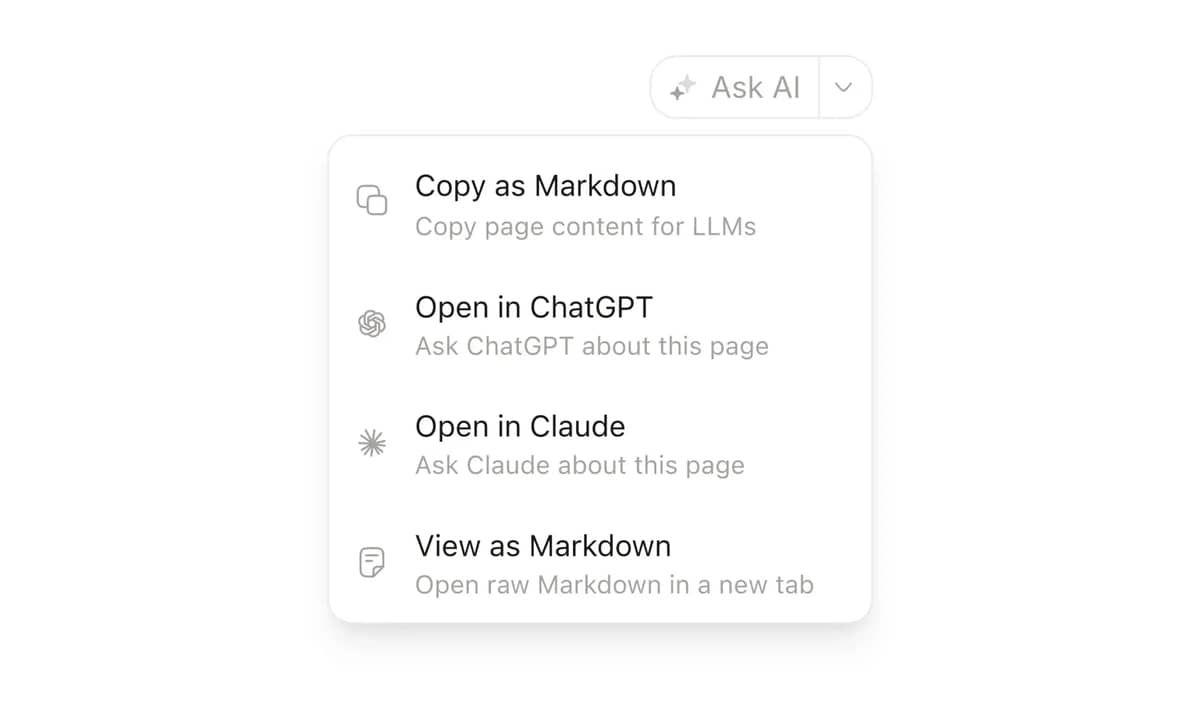
Need your docs to show up in ChatGPT, Perplexity, and Gemini? Fern now generates llms.txt and markdown routes for every article automatically. AI search engines can better crawl your help center and cite your docs as sources, no extra work required.
Your help center is already optimized for Google. Now it's optimized for the next generation of search.
External links now open in a new tab by default
We've fixed multiple rendering issues with tables in the editor and help center
Fixed an issue with broken pasting
Fixed layout issues on the Fern page
January 9th, 2026

This week, we shipped dozens of quality of life improvements that make Ferndesk a LOT nicer to use. Here's what's new in Ferndesk…
🏢 Multiple workspaces - Use Ferndesk for multiple brands, or internal SOPs without creating a new account.
🌿 Unified Fern page - Manage Fern's recommendations and tasks from one, unified page.
🔔 Push notifications - Get notified when Fern completes tasks with push notifications
💬 @mention articles and collections - when assigning tasks to Fern
🦾 Smarter agent - Fern is now able to work on longer, more complex tasks more reliably.
📎 Upload files in follow ups - You can now upload images and other files in follow up messages to Fern
And of course, many, many smaller improvements and bug fixes…
We've consolidated Fern's recommendations and tasks into one unified page.
Before, you'd jump between different views to see what Fern recommended vs what you assigned vs what was being worked on. Now it's all in one place, just open Fern and see everything.
Cleaner, faster, easier to manage.
You can now create separate workspaces for different products, brands, or even internal SOPs, all from one account. Each workspace gets its own help center, integrations, billing, and team settings.
This is especially useful for:
Companies with multiple products
Teams building both public docs and private internal SOPs
Agencies managing multiple client help centers
Switch between workspaces instantly from the sidebar. No more logging in and out.
Fern can now tap you on the shoulder when she's done.
Enable push notifications in your settings, and you'll get a browser notification when Fern finishes a task. No more checking back to see if that article rewrite is ready.
If you want to only get notified via the browser, you can also disable email notifications.
You can now @mention specific articles or collections when assigning tasks to Fern.
Just type "@" and start typing the article name. This gives Fern better context and makes it way easier to say things like "Update @Billing FAQ with the new pricing" instead of hunting down links.
Small change, big time saver.
Fern's gotten a lot better at handling longer, more complex tasks without getting confused or losing context.
We've improved how she processes edits, tracks changes, and handles tricky formatting. You'll notice fewer errors and more reliable results, especially on large, multi-step tasks.
You can now upload images (and other files) in follow-up messages to Fern.
Need to send a screenshot? Drag and drop it. Want to show Fern what the new UI looks like? Upload it mid-conversation.
Makes it way easier to give Fern the context she needs without starting a whole new task.
Search is now significantly faster and more accurate.
You can now paste markdown directly into the editor without it breaking.
Fixed a few issues with code blocks and callouts.
Fixed bugs with the help center preview
Fixed layout issues in the help center.
January 2nd, 2026
One of my resolutions for 2026 was work-life balance.
It lasted about 36 hours.
Anyway, here's what's new in Ferndesk…
🔒 Private help centers - Put your help center behind a login. Supports SSO, OIDC, and Magic Links.
🌖 More design options - Dark mode and icons in widgets, and more.
🔥 Bolddesk integration - update your docs using support conversations in Bolddesk
✨ Refreshed settings and billing - It's now easier to manage your plan, limits, account settings and more.
🎏 New pricing comparison - Compare plans on our new pricing page.
And of course, dozens of smaller improvements and bug fixes…
I love building in public.
Our roadmap, our progress, and our docs are public
But for help documentation, not everyone has that luxury.
If you're a B2B product handling sensitive info, or you're building internal SOPs, you need privacy.
So today we're shipping private help centers 🔒
This is especially useful for:
Internal docs and SOPs for teams (we're already porting ours over to Ferndesk!)
Enterprise software with proprietary workflows
Healthcare/Legal/Finance products where even docs contain sensitive workflows
You can currently identify users using OIDC, Magic Links, and silently in your app via JWTs.
🔒 Make your help center private
Now, you can import your support tickets from Bolddesk. Fern will use them to detect content gaps and write articles on your behalf.
Have another tool you'd like us to integrate with? Just reply to this email!
Dark mode is now available in widgets.
You can now change the button color on the help center widget.
You can now add an accent color to your help center to create a more balanced look and feel.
We've refreshed the styling on callouts and buttons.
Code blocks now include a copy button by default.
We've shipped a new page to manage your settings and billing.
You can now switch plans without contacting support.
The dashboard and widgets now load up to 2x faster.
We've improved the help center customization page to make it easier to navigate.
Refreshed the iconography in the app.
Fixed a bug that caused the assistant to respond with broken links.
Changed the assistant profile photo in the widget.
P.S - Want to get set up with Ferndesk? If you are dealing with repeat tickets, stale docs or a help center you hesitate to link, you can book a 15-minute Ferndesk walkthrough with me. I'll show you around Ferndesk and we can talk through how it might fit your stack.
December 24th, 2025

We could've waited until January. But then we'd have to pretend we were 'relaxing' over the holidays.
So instead… here's what's new in Ferndesk.
🌈 New help center design - We've completely refreshed the help center design to be a lot more modern.
🌏 New languages - the help center is now localized in French, Spanish and German.
🌖 Dark mode - The help center now supports dark mode.
✨ AI answers in your help center - Customers can now chat with your docs from the help center.
🎏 New icons - We've partnered with Huge Icons to bring 46,000+ beautiful icons to your docs.
And of course, dozens of smaller improvements and bug fixes…
We just shipped the biggest update to Ferndesk help centers since day #1.
The old design did its job, but we knew we could do better. We wanted to build something that's cleaner, easier to navigate and actually feels like part of your product.
So we rebuilt it. Your help center now has:
A more polished, refined design
The AI assistant built in
Dark mode
But wait, there's more!
We've also partnered with Huge Icons to bring 46,000+ of the web's most beautiful icons to your help center.
To enable the new features, customize your help center.
The help center now has translations for French, German and Spanish.
Want us to add another language? Just reply to this email.
We've upgraded the AI assistant to respond faster and more accurately.
Drafts are now autosaved during conversations with Fern
Dozens of performance, accessibility and usability improvements to the help center.
Refreshed the help center editor.
December 10th, 2025
Your customers don’t want to talk to support. They just want answers that match how your product works today, not last quarter.
Ferndesk already fixes that by giving you a knowledge base that stays up to date automatically, so your user's only see up to date docs.
Now we are making those living docs even more powerful.
Introducing AI answers for Ferndesk.
With the new AI answers widget, customers can ask questions in plain language, and the assistant reads your always fresh docs, then replies with a clear answer and links to the articles it used.
Customers can leave positive or negative feedback and if the answer wasn't helpful they will be redirected automatically to contact support.
We’ve merged Help Center analytics, Signals and AI answers into a new unified reporting tab.
Now you can quickly spot opportunities to improve your help center, and delegate tasks to Fern without jumping between tabs.
We've added over a dozen example prompts to the dashboard help you make the most of Fern.

Fern can
Write new articles
Update existing articles
Edit articles in bulk
Write articles from videos
And more!
Browse the gallery today by visiting the Fern tab.
November 27th, 2025

If you haven't opened Ferndesk in a while, it'll feel a lot different. We've quietly shipped changes that make Fern better at automatically suggesting updates to your help center and noticing patterns in your support, your code, and your docs.
Here are the updates I'm proudest of:
📊 Recommendations Inbox & Signals - Automatically get recommendations based on your support trends and now, codebase updates.
📝 Custom instructions for Fern - Save time on editing by teaching Fern your writing style.
⚡ 5x faster codebase search - Codebase search is now 6x faster, and Fern is more reliable than ever.
🎳 Documentation Coverage - View how many support requests have been covered by your docs over time.
📎 Task attachments - Upload PDFs, images, and DOCX files to give Fern more context.
dozens of smaller improvements and bug fixes
ISMS Copilot, is a company dedicated to helping businesses with their Information Security Management System (ISMS) needs. They provide solutions to simplify and accelerate the process of achieving and maintaining ISMS compliance, ensuring their clients have robust security frameworks in place.
In this week's case study, Tristan Roth shows how he uses Ferndesk to save 20 hours a month on documentation.
"I do in 5 minutes what used to take one hour. I think it easily saves me 20h a month. We ship features every week. Updating docs is hell. Now Ferndesk makes it so easy I can just ship more and scale!"
A few months ago, we launched Audits. You could analyze support conversations from a specific time period to find content gaps. Early testers loved it, but I started noticing a pattern:
You'd run an audit, get overwhelmed by a huge batch of recommendations, work through a few, then wait another week for fresh insights. It felt reactive. Fern wasn't surfacing opportunities quickly enough for small teams.
The problem? We'd optimized for the wrong thing. We wanted to balance actionable recommendations with a way to drill into underlying data, so we built audits as discrete, time-boxed batches.
But that didn't feel smart or magical.
So we rebuilt the entire experience from scratch.
Introducing the Recommendations Inbox and Signals, the best of both worlds.
The Inbox continuously monitors your support conversations and product releases to surface the best recommendations without overwhelming you. No more waiting. No more massive batches. Just high-impact opportunities as they emerge, with detailed evidence panels and one-click actions.

The Signals page gives you the exploration tools you always wanted. Drill into support themes, documentation coverage, and now, product releases from GitHub, filter by date, and explore opportunities- all without waiting for an audit to run.

Together, Fern is now always watching, always learning, and always ready to help—while giving you full transparency into the data behind every recommendation.
While Fern creates incredible documentation by default, you'd still spend time editing her output to match how your team actually writes.
Not anymore.
You can now customize Fern's research process and writing style with custom instructions.
To get started, click the Customize Fern button on the Fern page. You'll see two tabs:
Drafting instructions - Tell Fern how you want documentation written. Set your tone, structure preferences, style guidelines, and any company-specific requirements.
Research instructions - Guide how Fern gathers information. Tell her to prioritize your codebase over support tickets, require multiple sources before documenting features, or flag anything she can't verify.
Once you save your instructions, they apply to every task Fern works on across your entire team. No more repeating the same edits. No more inconsistent voice. Just documentation that sounds like you wrote it.
Over the last month, we've rewritten Fern from the ground-up to make her faster and more reliable.
6x faster code browsing: Fern can now browse your codebase and return results in under 30 seconds, making her research more thorough without the wait.
Support for complex, long-running tasks: We've re-architected Fern to help her handle very complex tasks that involve a lot of research and planning, which means fewer mistakes, and faster publishing.
Redesigned task view: Scanning Fern's working history is now much easier thanks to a few design choices we've made.
Improved visual capture: Fern now takes screenshots of publicly accessible websites faster and more reliably. We're working hard to bring support for pages behind logins!
Now you can attach PDFs, images, DOCX and other text files files directly to tasks. Just drag them into the task creation dialog, and Fern will analyze them while creating your documentation.
This is perfect for:
Sharing PDF specs or product guides
Uploading screenshots you've already captured
Providing Word documents with detailed requirements
Fern can even run OCR on images to extract text and understand context better.
Help center customization: Added support for custom fonts, font weights, and custom head/body code. Your help center can now match your brand perfectly.
Article SEO improvements: You can now edit meta descriptions and keywords directly in the SEO panel.
Better content editing: Fixed drag-and-drop in the content editor, improved responsiveness, and added clearer edit mode indicators.
Table editing enhancements: New grip handles and bubble menus make formatting tables much easier.
Contact widget improvements: You can now drag and drop images into contact messages. We also fixed bugs with email delivery.
October 29th, 2025

This week, we shipped three features we've been itching to build:
📊 Analytics V2: See how you're help center is performing and make improvements in seconds
🅰️ Custom Fonts: In your Help Center and Widgets
🧑💻 Custom Code: Add scripts to your Help Center's header and footer
and a ton of bug fixes…
Up until now, Ferndesk's analytics have been ridiculously bad.
You could see missed searches and negative feedback, and that was it.
That changes now. Today, we're shipping some of the best analytics in modern help center tools.
Stop guessing about what your users need. Analytics V2 shows you search trends, article performance, and sentiment patterns, giving you everything you need to keep your help center relevant and answer common questions before they land in your inbox.
👀 Spot opportunities
🌿 Assign to Fern to make changes to your docs
⌛ in seconds
To get started, view your analytics in the app.
Your help center should feel just like the rest of your product.
With custom fonts, you can now align the typography in your help center and widget with your brand by selecting different fonts and weights for headings and body text.
To get started, customize your help center's branding.
Your help center shouldn't be locked down. Now you can inject custom code into its head and body tags.
Custom code injection lets you add Google Analytics, Facebook Pixel, Hotjar and custom meta tags for SEO, or any HTML/JavaScript your workflow requires, without waiting for us to build a dedicated integration.
To get started, add custom code to your help center.
🐛 We've fixed a bug that caused duplicated records in missed searches.
🐛 We've fixed a bug that prevented downvotes from being tracked.
🏎️ We've drastically improved the load time performance on articles in your help center.
That's all for now. Thanks for reading, and see you next week!
October 22nd, 2025

AI chatbots LOVE referencing your help center.
In Lenny’s Podcast with Ethan Smith, the CEO of Graphite, Ethan goes into detail on
Why your help center is a GOLDMINE for getting your website referenced by agents like ChatGPT
and how best to optimize your help center for AI agents and search.
His first tip? Move your help center from a subdomain (help.yourwebsite.com) to a subdirectory (yourwebsite.com/help).
But almost EVERYONE kills their help center's visibility to AI agents and search by doing the opposite.
Today we’re fixing that.
Starting from today, Ferndesk is one of the only tools that lets you put your help center on a subdirectory.
Subfolders are now live on all plans.
To get started, follow this guide.